🛒 Work smarter at your desk
Sponsored75% OFF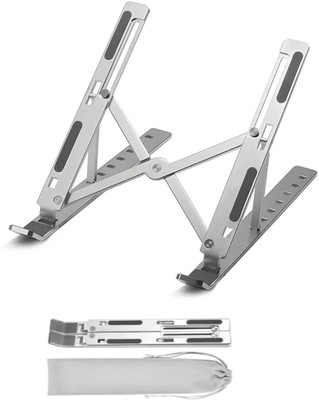
Laptop stand
Frodiox Aluminum 6 Adjustable Foldable Portable Laptop S…
₹253₹999
You save ₹746
Price on Flipkart · can change at any time
40% OFF
Wireless mouse
AMKETTE XS Flow 2 Speed Ergonomic Optical Mouse with Upt…
₹2,999₹4,999
You save ₹2,000
Price on Flipkart · can change at any time
66% OFF
Planner notebook
Papco Planner A5 Planner Planner 144 Pages(Multicolor)
₹136₹399
You save ₹263
Price on Flipkart · can change at any time
As an Amazon Associate, TekPulse earns from qualifying purchases at no extra cost to you; Flipkart links are affiliate links too. Prices shown are Flipkart's and can change — always confirm on the store. Learn more.
Advertisement
What is To-Do List?
Free online to-do list with priorities, due dates, and auto-save. No signup — your tasks are saved right in your browser. Productivity tools to help you work smarter and faster. TekPulse's To-Do List is completely free — no signup, no ads in results, and no data stored on our servers.
How to Use To-Do List Online
- Type a task, optionally set a priority and due date, and press Enter or click +
- Check the box next to a task to mark it complete — it gets a strikethrough
- Click into any task's text to edit it directly
- Use the All / Active / Completed tabs to filter your view
- Click "Clear Completed" to remove finished tasks in bulk
Why Use TekPulse To-Do List?
Runs Entirely in Your Browser
Tasks are saved only in your browser's local storage — nothing is sent to a server
Priority Levels
Mark each task Low, Medium or High priority with a color-coded indicator
Due Dates with Overdue Alerts
Set a due date per task — overdue items are highlighted automatically
Filter All / Active / Completed
Switch views instantly and clear completed tasks in one click
Share & Embed
Help others discover this free tool. Share it or embed it on your website.
Free to embed with attribution link to tekpulse.in
Frequently Asked Questions
Was this tool helpful?